
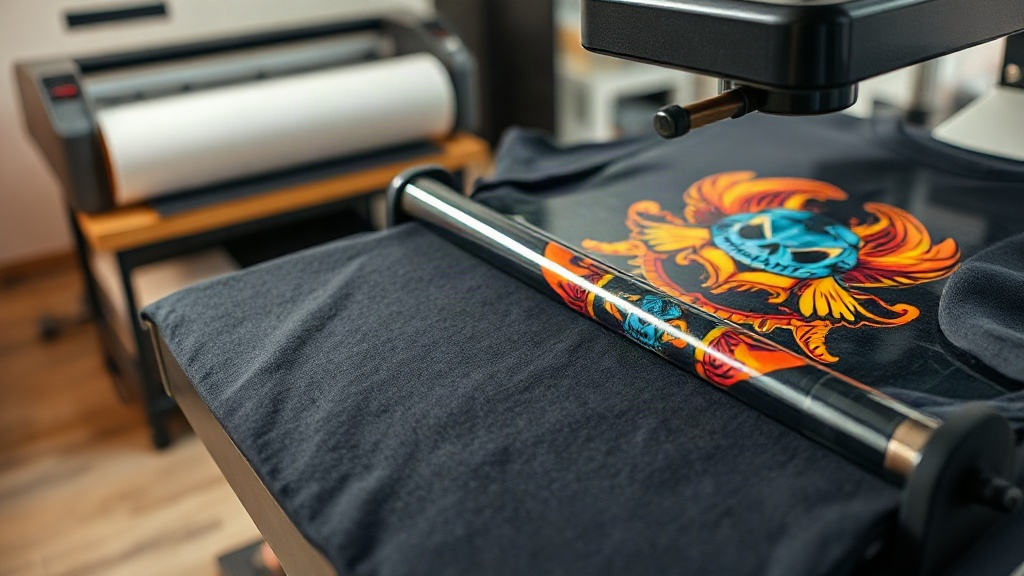
If you run a print on demand (POD) business, you already know that the quality of your prints can make or break your brand. Among the many decoration methods available, DTF printing has quickly become a favorite for sellers who want vibrant colors, durable results, and the flexibility to print on almost any fabric. But what exactly is DTF, and why should you consider it for your next product drop?
What Is DTF Printing?
DTF stands for Direct to Film. It's a printing technique where your design is printed onto a special PET film using water-based pigments, then coated with a hot-melt adhesive powder. Once the powder is cured, the transfer is ready to be heat-pressed onto a garment. Unlike DTG (Direct to Garment), which prints directly onto the fabric, DTF transfers can be applied to a wide range of materials, including cotton, polyester, blends, and even nylon. This versatility opens up a world of possibilities for POD sellers who want to offer diverse products without investing in multiple printing setups.
Why DTF Is a Game-Changer for Print on Demand
For years, POD sellers were limited by the constraints of DTG and sublimation. DTG works well on 100% cotton but struggles with polyester, while sublimation requires polyester and often produces faded colors on dark fabrics. DTF solves these problems by decoupling the printing process from the garment. You can print on demand, store the transfers, and press them only when an order comes in. This means no minimums, no wasted inventory, and the ability to offer a huge variety of products without holding stock.
Unmatched Versatility
Whether you're printing on t-shirts, hoodies, tote bags, or even leather patches, DTF delivers. The transfers adhere well to both natural and synthetic fibers, and they stretch without cracking. This makes them ideal for activewear and fashion apparel that need to move with the body.
Vibrant Colors and Fine Details
DTF printing excels at reproducing intricate designs with gradients, fine lines, and photographic details. Because the design is printed on film first, you can achieve high-resolution output that rivals screen printing. Plus, the white ink layer ensures that colors pop on dark garments, something that DTG often struggles with.
Cost-Effective for Small Businesses
Setting up a DTF printing operation requires a printer, film, powder, and a heat press. While the initial investment may seem significant, the cost per print is low, especially for small batches. For POD sellers who outsource, many suppliers offer custom DTF transfers at competitive rates, allowing you to test designs without committing to bulk inventory.
DTF vs. DTG: Which Should You Choose?
Both methods have their place, but the choice depends on your product mix and production volume. DTG is great for 100% cotton items and can be more cost-effective for large runs on light-colored shirts. However, if you need to print on dark colors, polyester, or a variety of materials, DTF is the clear winner. It also eliminates the need for pre-treatment, which is a common step in DTG that adds time and cost.
How to Apply DTF Transfers
Applying a DTF transfer is straightforward, but following the right steps ensures a professional finish that lasts. Here's a quick guide:
- Preheat your heat press to the temperature recommended by your transfer supplier, typically around 325°F (160°C).
- Position the transfer on the garment with the printed side facing up.
- Press with medium pressure for 10-15 seconds.
- Peel the film while it's still hot (hot peel) or after it cools (cold peel), depending on the film type.
- Post-press for a few seconds with a cover sheet to ensure the adhesive fully bonds.
Always test on a scrap piece first to dial in your settings. Different fabrics and transfer brands may require slight adjustments.
Designing for DTF: Best Practices
To get the most out of DTF printing, keep these design tips in mind:
- Use high-resolution images (300 DPI or higher) to avoid pixelation.
- Add a white underbase for designs on dark garments to make colors stand out.
- Avoid very fine details that might get lost during transfer; slightly thicker lines work better.
- Consider the fabric texture: smooth fabrics yield smoother prints.
Common Mistakes to Avoid with DTF
Even experienced sellers can run into issues. Here are a few pitfalls to watch out for:
- Insufficient pressure: leads to poor adhesion and early peeling.
- Wrong temperature: too hot can scorch the fabric or melt the film; too cold means the adhesive won't activate.
- Not storing transfers properly: keep them in a cool, dry place away from direct sunlight to prevent the powder from absorbing moisture.
- Skipping the post-press: this step is crucial for wash durability.
Is DTF Right for Your Print on Demand Business?
If you're looking to expand your product range, offer vibrant prints on dark and synthetic fabrics, and maintain a lean inventory, DTF printing is worth exploring. It empowers you to say yes to more customer requests and experiment with designs without the risk of unsold stock. As the technology continues to evolve, DTF is only going to become more accessible and affordable, making it a smart addition to any POD seller's toolkit.
Frequently Asked Questions About DTF Printing
How long do DTF prints last?
When applied correctly, DTF prints can last as long as the garment itself, often 50+ washes. Proper washing inside out in cold water and avoiding high heat in the dryer will extend the life of the print.
Can I use DTF on 100% polyester?
Yes, DTF works exceptionally well on polyester, unlike DTG. The transfer adheres to the fabric without the dye migration issues that can occur with other methods.
Do I need a special printer for DTF?
You can convert certain inkjet printers to use DTF inks, but it's essential to use a printer designed for DTF or a conversion kit that includes the necessary hardware and software. Alternatively, you can order custom DTF transfers from a supplier and focus on heat pressing.
What is the difference between hot peel and cold peel DTF film?
Hot peel film allows you to remove the carrier sheet immediately after pressing while the transfer is still hot, which speeds up production. Cold peel requires you to wait until the transfer cools completely before peeling. The choice depends on the film type and your workflow preferences.
Can I layer DTF transfers?
Yes, you can layer DTF transfers to create multi-color designs, but it's best to use a single transfer with all colors printed at once to avoid alignment issues and thicker prints. If layering, press each layer separately and ensure proper adhesion.